Web Apps
Web Apps is a feature oriented towards monitoring the behavior of web applications from the end user's perspective. Its main goal is to provide accurate and real-time information to identify potential issues related to performance, access errors, or service degradation.
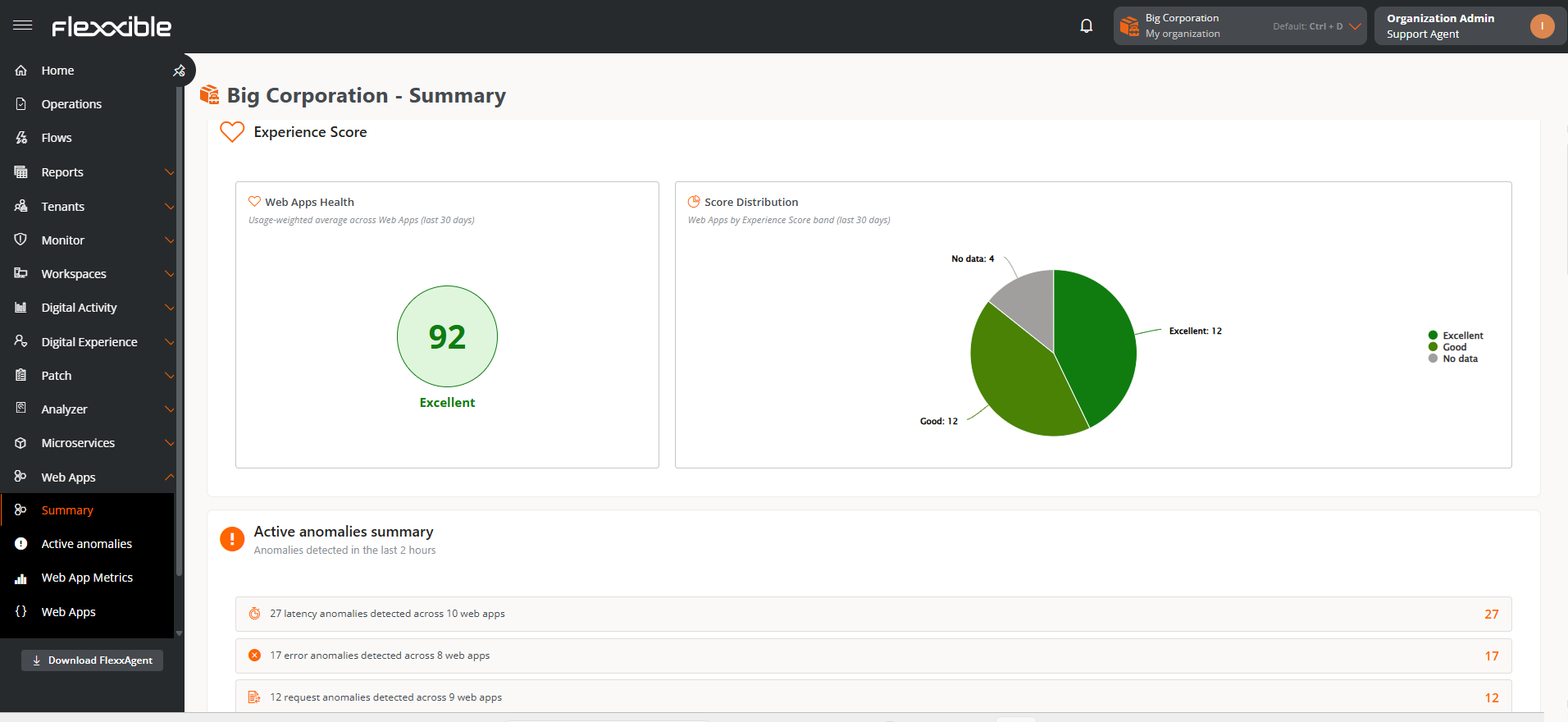
Unlike tools solely focused on server monitoring, Web Apps offers a comprehensive view of user experience, enabling analysis of how applications behave in real-world usage situations.
Its main capabilities include:
- Data segmentation by networks or reporting groups, which allows for more granular and detailed analysis.
- Detection of failure patterns and anomalous behavior.
- Evaluation of performance perceived by users.
- Identification of latency problems and access errors.
- Gathering information to optimize service quality.
Requirements
To use Web Apps correctly, you must meet the following minimum requirements:
- FlexxAgent version 25.7.1 or higher, installed and updated.
- Flexxible Web Apps Extension, installed and enabled in the browser.
- Activation of the functionality from the settings of Products and Reporting Groups.
Flexxible Web Apps Extension
The Flexxible Web Apps extension is an indispensable component for the functioning of Web Apps.
- Requires FlexxAgent to operate.
- It cannot be used independently.
Compatible Browsers
The Flexxible Web Apps extension is available for the following browsers:
- Google Chrome version 102 or higher
- Microsoft Edge version 102 or higher
Deploying
The extension can be installed manually. However, the deployment method will depend on the corporate environment and software management policies of the organization, such as GPO, Microsoft Intune, or other automated deployment tools.
After the extension is installed, FlexxAgent automatically performs the necessary configuration for its operation. Extension updates are managed from within the browser itself and do not require manual intervention.
Download Links
Chrome Web Store
https://chromewebstore.google.com/detail/flexxible/pdiegjhfhkabmeoocgnppbeldhflghog
Microsoft Edge Add-ons
https://microsoftedge.microsoft.com/addons/detail/flexxible/emfbhanhgnofpldcaafnhifocepbnoji
Web Apps Activation
For devices to start reporting information, it's essential to enable the functionality both at the environment level and in the corresponding reporting groups.
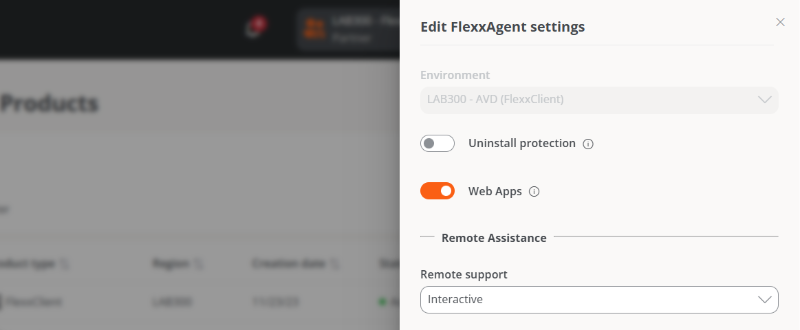
Enable from Products
Web Apps can be globally activated for each environment of the organization.
- Go to
Portal->Settings->Organization. - In the menu, select the
Productstab. - In the table, choose the environment where you want to execute the feature and, in the
Actionfield, click onAgent Configuration. - In the form, enable or disable the Web Applications button.
Enable from Report Groups
The feature can also be activated in specific device groups or units within the same organization.
- Go to
Portal->Settings->Reporting Groups. - In the table, choose the reporting group where you want to execute the functionality, and in the
Actionfield click onAgent Settings. - In the form, enable or disable the Web Applications button.
Data collection for Web Apps will start at the next browser restart. Once the feature is enabled and configured, the first data can take up to 24 hours to appear in Portal.