Core Process activity
Core Process activity displays the total time during which the Core Process Groups have been active on the devices.
It represents the time the device has been actively used in processes considered key for the business, previously defined in the Core Process Configuration.
Calculation of core process activity
To calculate it, all the time a user has focused on a process is taken into account; that is, when the application window (process) is active in the foreground and the user is interacting with it.
Having a process in focus means:
- The user is actively using that application.
- The window is selected and visible in the foreground.
- There is direct interaction (keyboard, mouse, etc.).
Therefore, having a process open doesn't mean it is in use.
Data is updated daily at 12:00 (UTC); therefore, data corresponding to the current month may show a slight deviation.
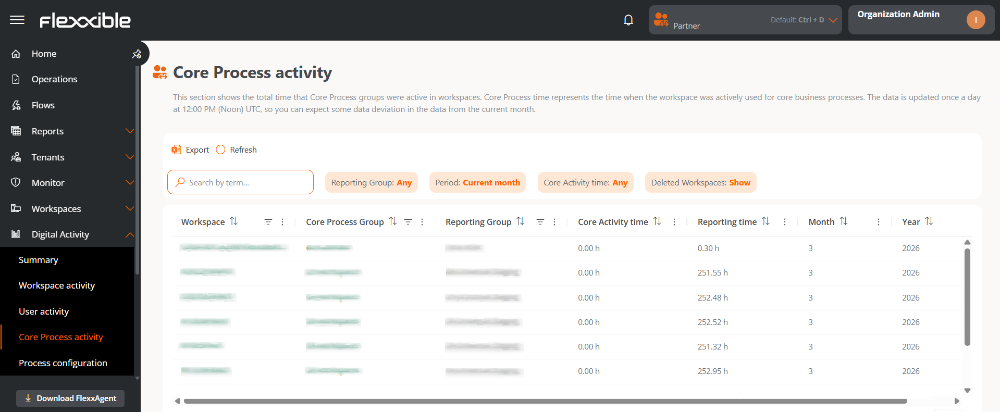
Table info
Main fields
- Workspace. Device name.
- It is clickable and allows access to its detail view.
- If not clickable, it means the device has been deleted.
- Core Process Group. Name of the Core Process Group.
- It is clickable and allows access to the group's configuration.
- Report Group. Name of the report group to which the device belongs.
- Activity Time. Time during which the user has focused on any of the processes defined in the configuration.
- Report Time. Time the device has been turned on.
- Month. Number of the month to which the information belongs (for example, March = 3).
- Year. Year corresponding to the shown data.
Other available fields
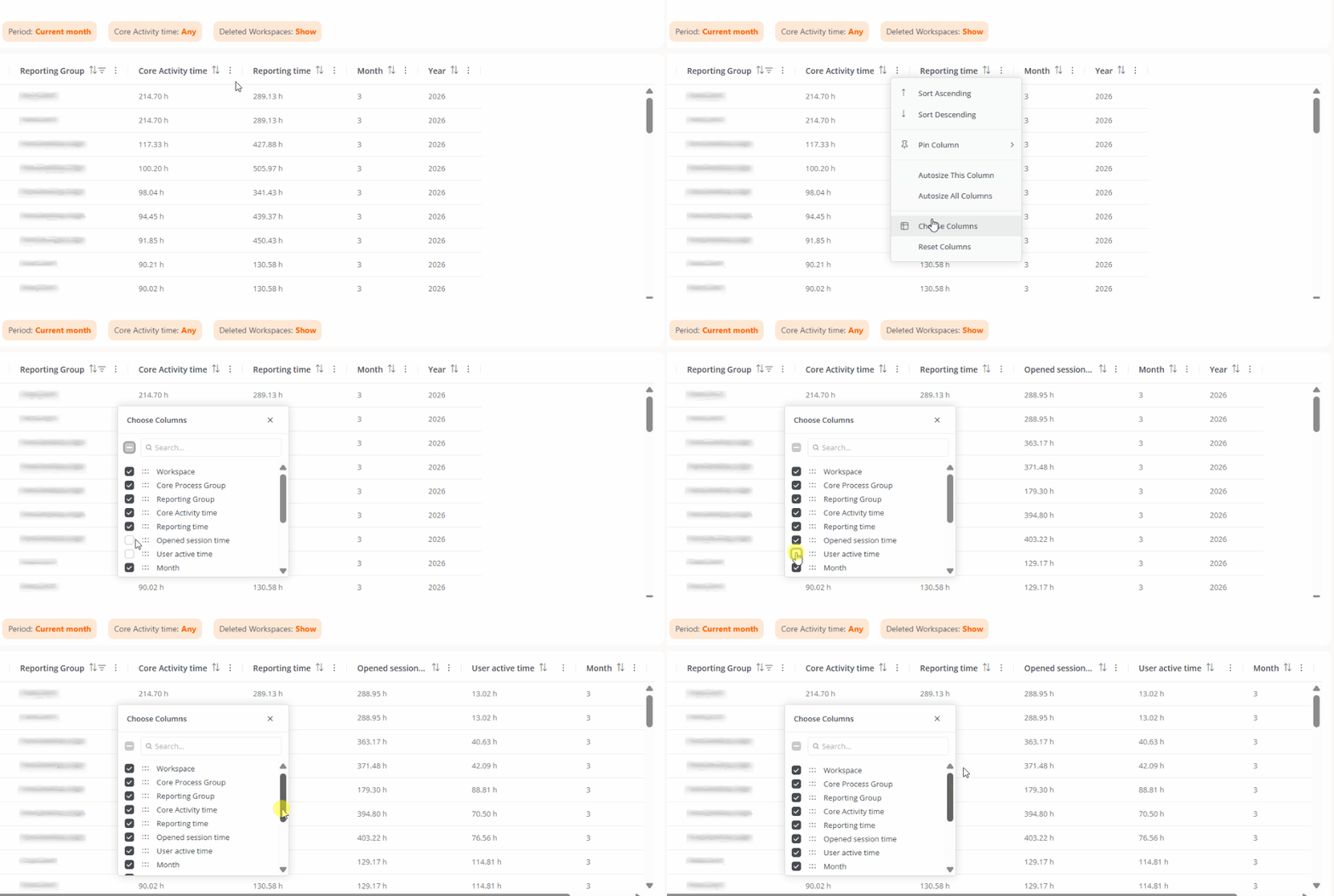
By clicking on Choose columns, you can add additional fields:
- Open session time. Time during which devices have had a user session open.
- Active user time. Time in which the user has actively interacted with the device.
- Workspace Object ID. Unique identifier of the device.
- Core Process Group ID. Unique identifier of the Core Process Group.
- Workspaces Group. Name of the workspaces group to which the device belongs.
- Last user. User who last used the device.
- Deletion date. Date when the device was deleted, if applicable.
Available filters
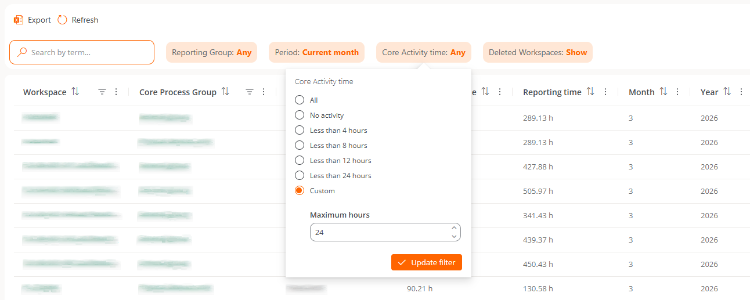
Table records can be filtered according to the following criteria:
- Report group. Allows you to choose the report group from which you want to view the information.
- Period. Allows you to define the time interval of the shown data.
- Activity time. Allows filtering of results based on the usage time of the processes.
- Deleted workspaces. Allows inclusion or exclusion of deleted devices in the results.