Summary
Summary offers a global view of device usage and user activity through dashboards. The data always corresponds to the last full calendar month, allowing for consistent and comparable analyses over time.
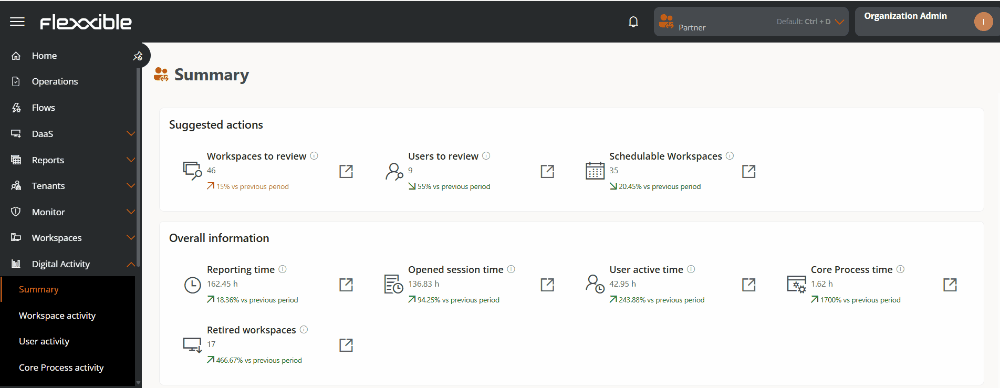
Suggested actions
This dashboard shows automatic recommendations based on detected usage patterns.

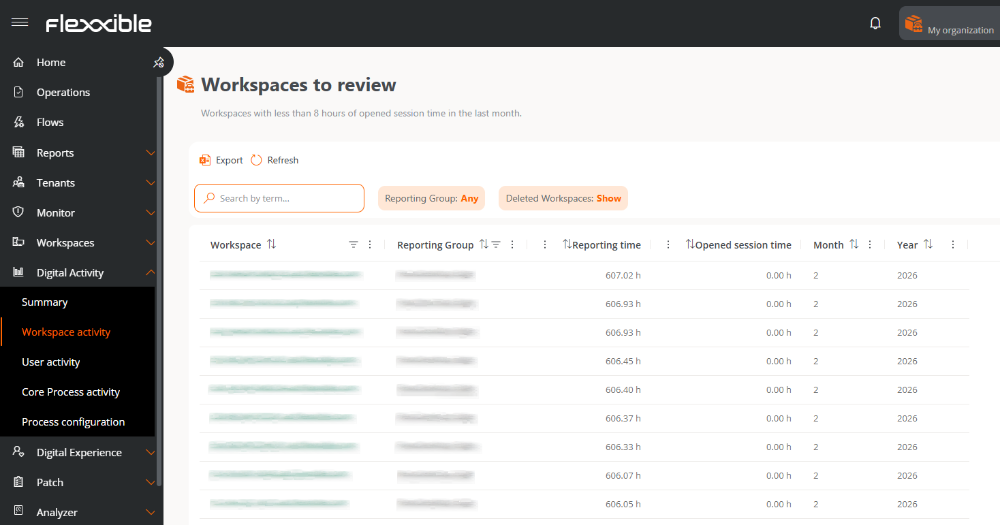
Workspaces to review
Indicates the number of devices with less than 8 hours of activity during the last month.
- Includes variation from the previous period.
- It's clickable and redirects to the list of affected devices.
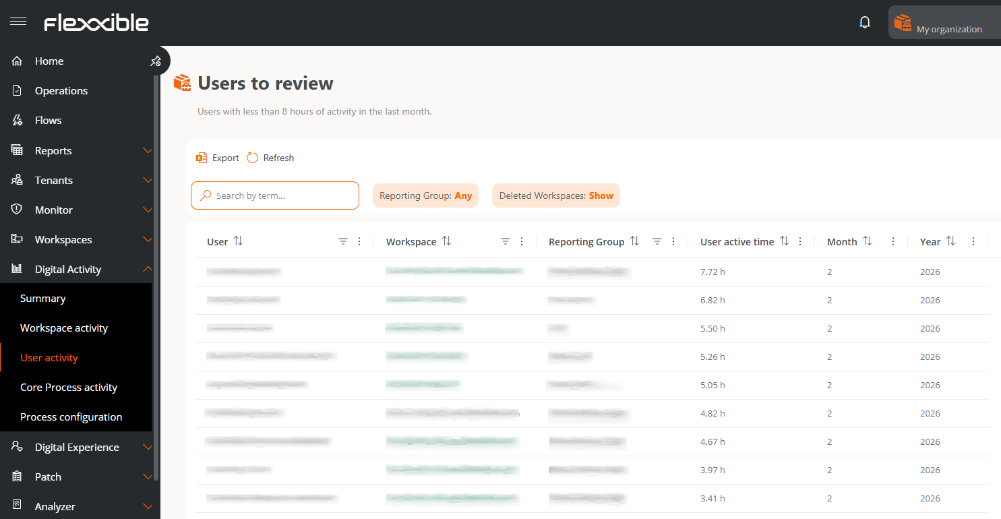
Users to review
Displays users with less than 8 hours of activity in the last month.
- Includes comparison with the previous period.
- Allows access to user details.
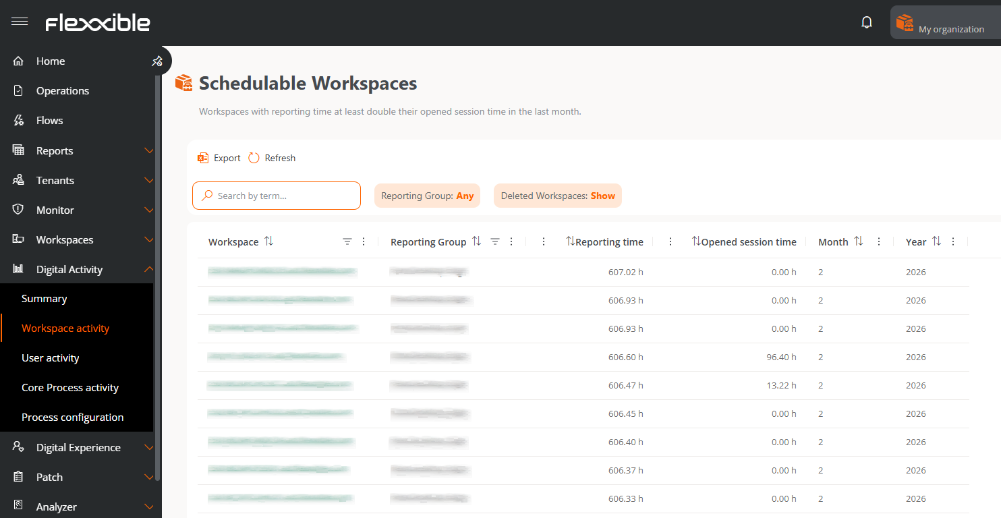
Schedulable workspaces
Identifies devices that remain on significantly longer than they are used.
- Enables detection of automation opportunities (on/off).
- Redirects to the device list.
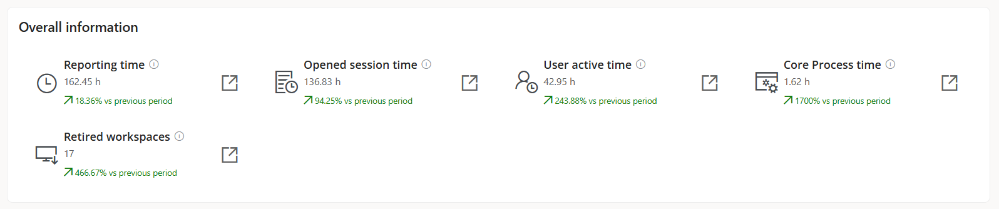
General information
Displays average metrics of reporting and usage times at device, user, and system Core Process levels during the month before the current one.
Report Time
Average time devices have been on and reporting (per month).
- Includes variation from the previous period.
- It's clickable and redirects to the Workspace activity view.
Session open time
Average time devices have had at least one user session open, regardless of activity (per month).
- Includes variation from the previous period.
- It's clickable and redirects to the Workspace activity view.
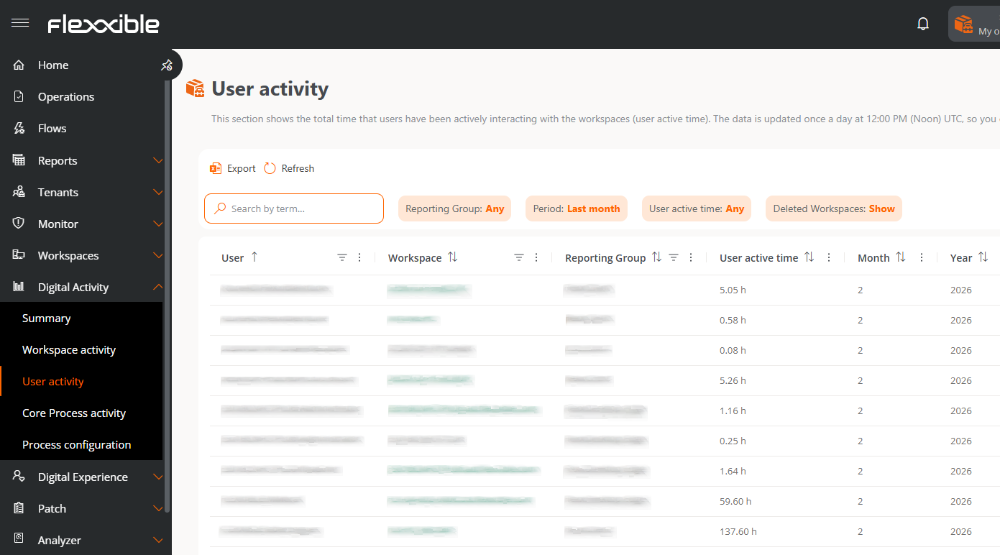
User activity time
Average time users have actively interacted with devices.
- Includes variation from the previous period.
- It's clickable and redirects to the User activity view.
Process Group Activity Time
Average time users have focused on processes defined as business (Core Processes).
A process is considered in focus when its window is active in the foreground and the user is interacting with it.
- Includes variation from the previous period.
- It's clickable and redirects to the view of Core Process activity
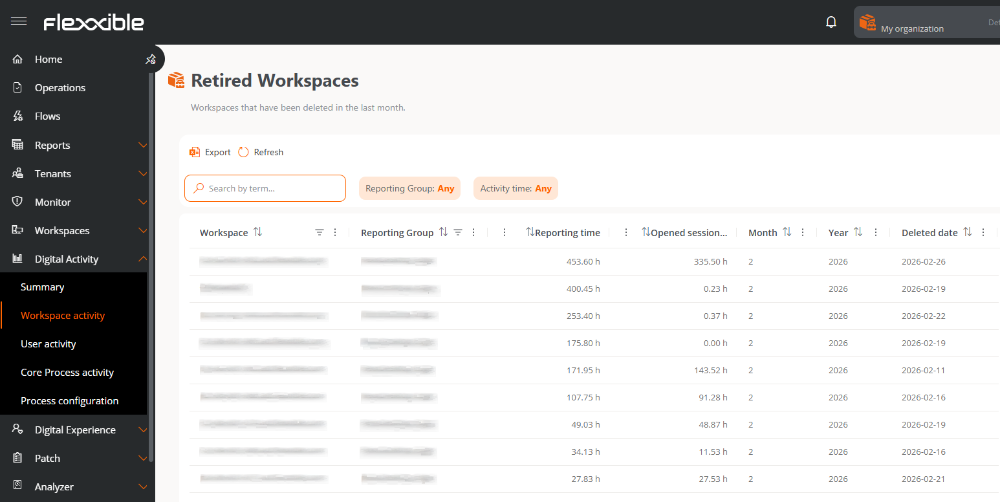
Retired workspaces
Number of devices removed during the month before the current one, along with their variation from the previous period.
Config summary
Displays dashboards with information about the configuration of processes that are useful for the organization's business.

Core Process Group
Number of Core Process Groups configured for the organization. It's clickable and redirects to the Process configuration view.
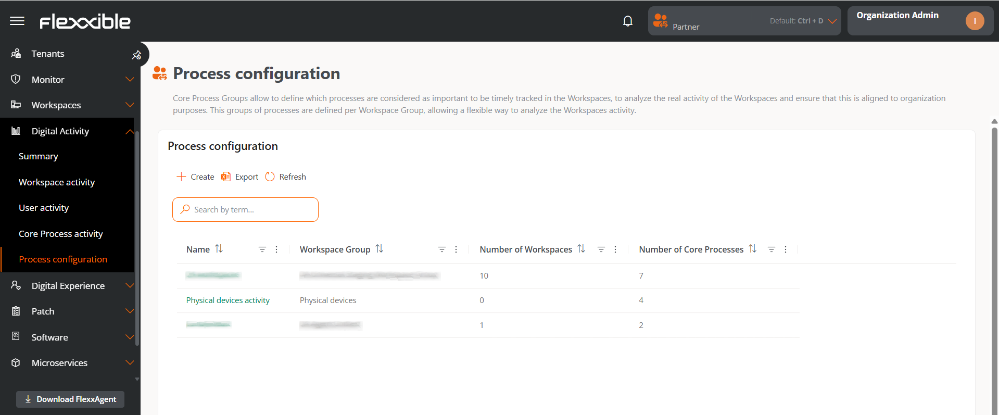
Unique processes
Total number of unique processes defined across all Core Process Groups. It's clickable and redirects to the Process configuration view.
Dashboards
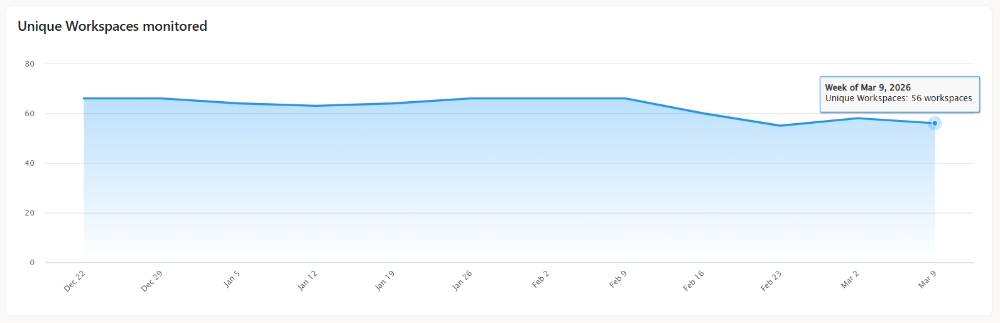
Unique monitored workspaces
Shows the evolution of the number of monitored devices.
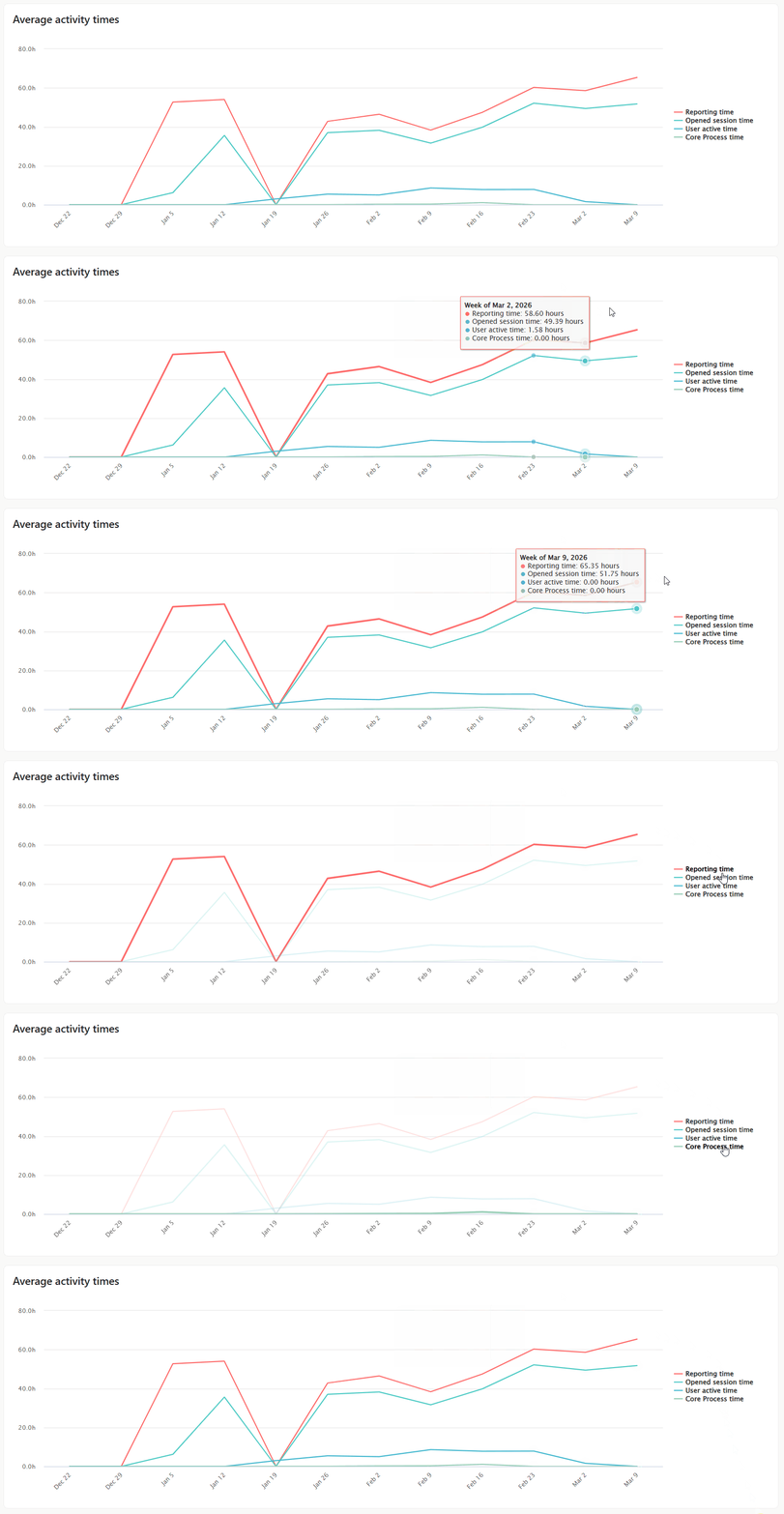
Average Activity Times
Shows the evolution of average activity according to:
- Reporting time (device on)
- Session open time
- User activity time
- Core Process Group Time
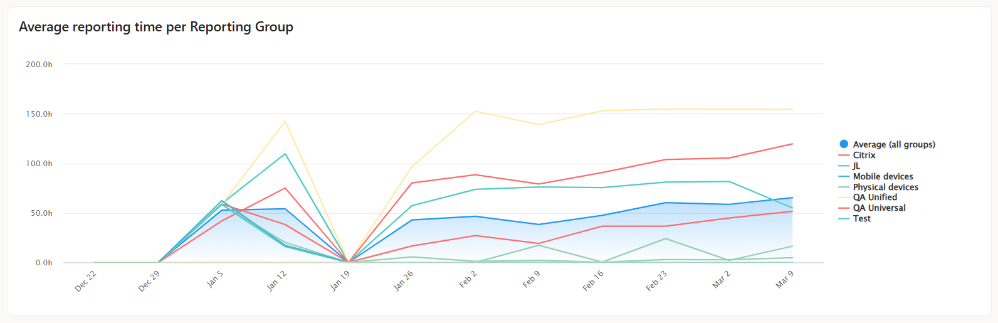
Average reporting time per reporting group
Shows the evolution of the average time devices within certain reporting groups have been on.
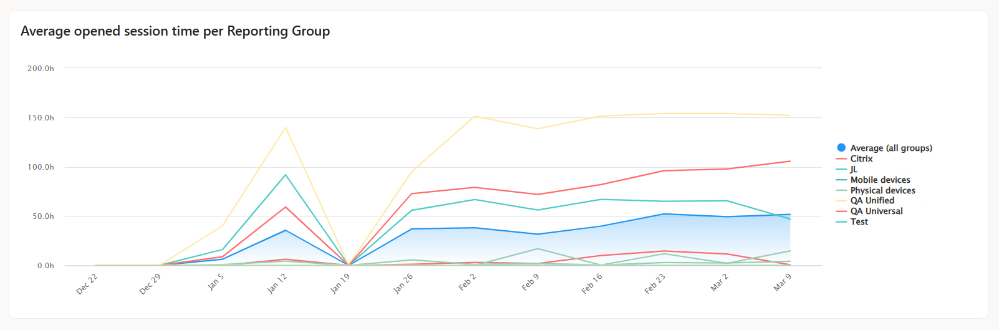
Average session open time per reporting group
Shows the evolution of the time at least one session was open on the devices. Does not consider the level of user interaction.
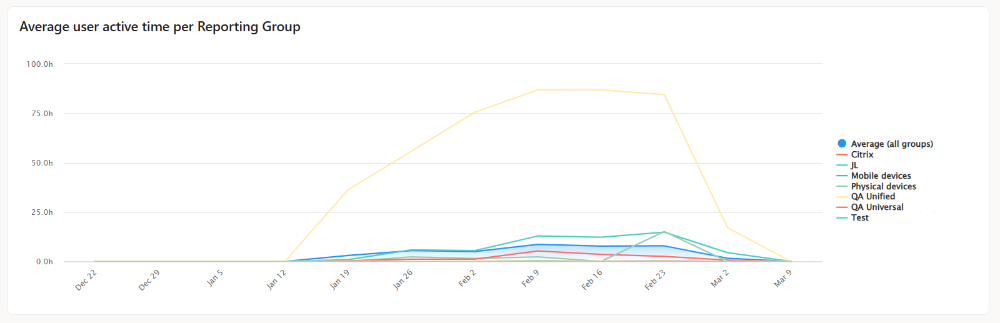
Average user activity time per reporting group
Shows the evolution of the average time users belonging to a reporting group have actively interacted with devices within each reporting group.
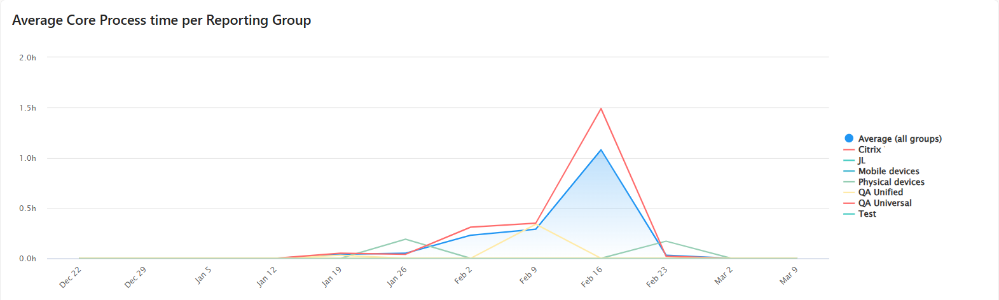
Average Core Process Group time per reporting group
Shows the evolution of the time users belonging to a reporting group have focused on processes defined as Core Process Groups.