Workspace activity
Workspace activity allows you to analyze device usage by comparing the time they're on with the time they have active sessions, even if the user hasn't been actively interacting with the device.
This allows you to detect:
- Devices turned on without use
- Underutilized equipment
- Differences between device availability and active use
info
Data is updated daily at 12:00 (UTC); therefore, data corresponding to the current month may show a slight deviation.
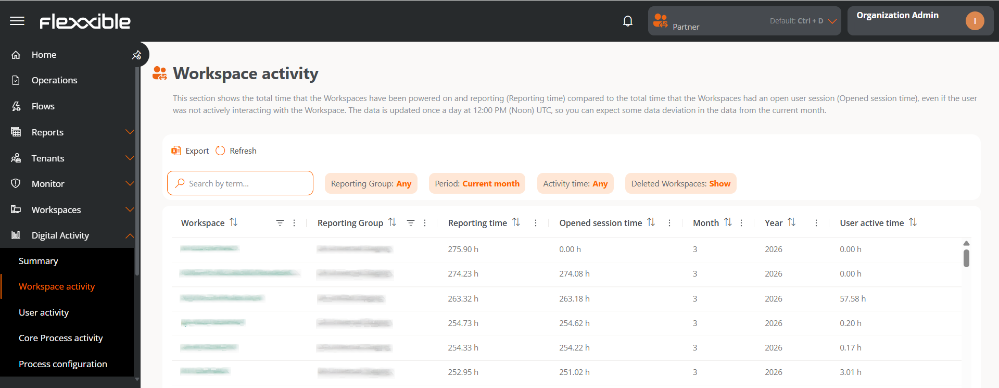
Table info
Main fields
- Workspace. Device name.
- It is clickable and allows access to its detail view.
- If not clickable, it means the device has been deleted.
- Report Group. Name of the report group to which the device belongs.
- Reporting time. Time that the device has been on during the selected period.
- Open session time. Time that the device has had at least one user session open, regardless of activity.
- Month. Number of the month to which the information belongs (for example, March = 3).
- Year. Year corresponding to the shown data.
Other available fields
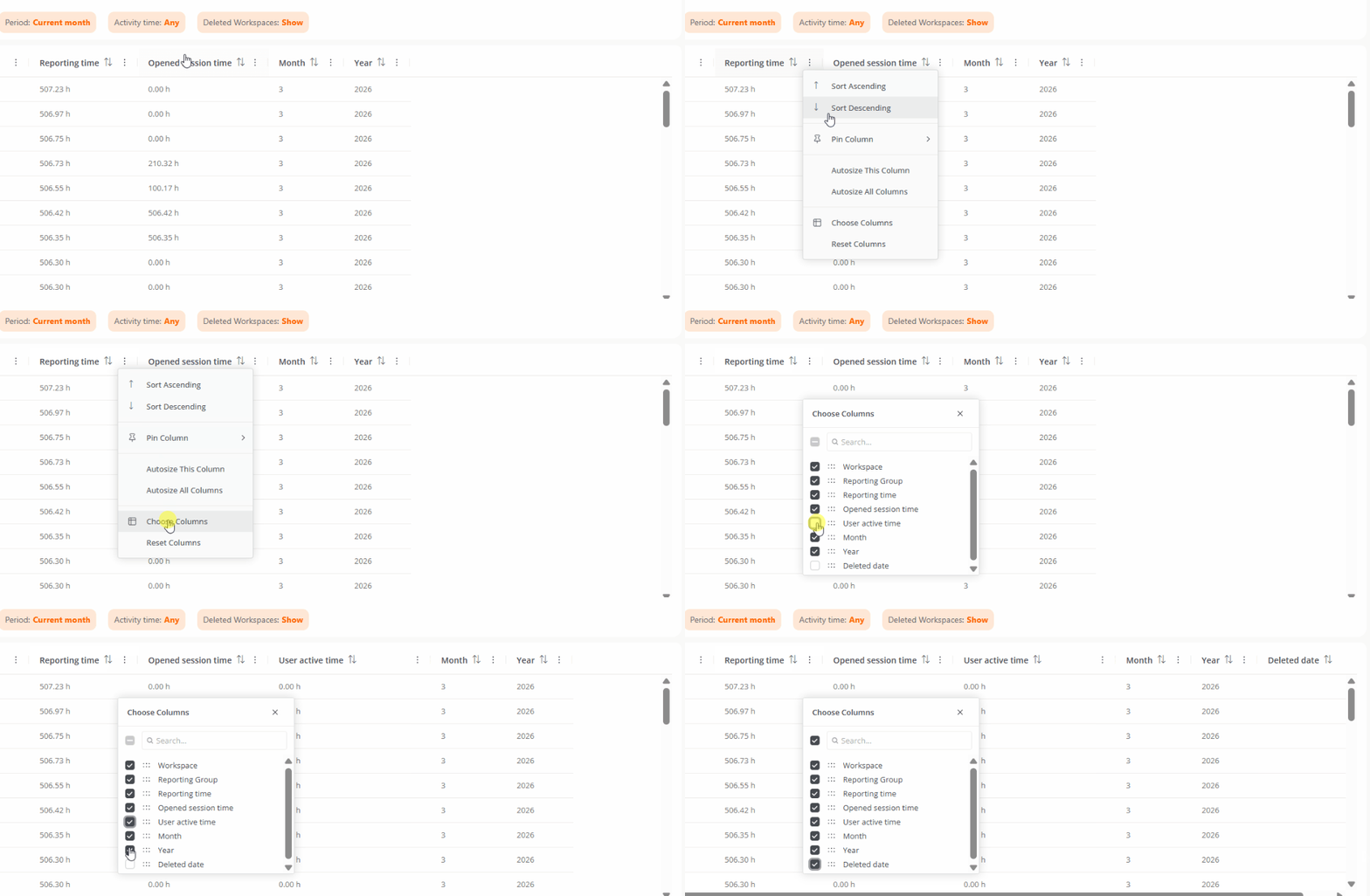
Clicking on Choose columns allows you to add fields to the table:
- Active user time. Time during which one or more users have actively interacted with the device.
- Deletion date. Date when the device was removed, if applicable.
Available filters
Table records can be filtered according to the following criteria:
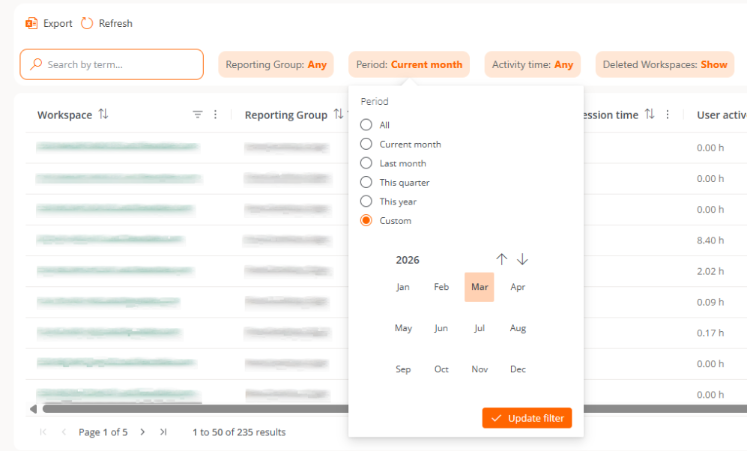
- Report group. Allows you to choose the report group from which you want to view the information.
- Period. Allows you to define the time interval of the shown data.
- Uptime. Allows filtering results based on the number of hours of device usage.
- Deleted workspaces. Allows inclusion or exclusion of deleted devices in the results.
tip
It is recommended to use data corresponding to complete months to correctly interpret metrics and avoid erroneous conclusions.